
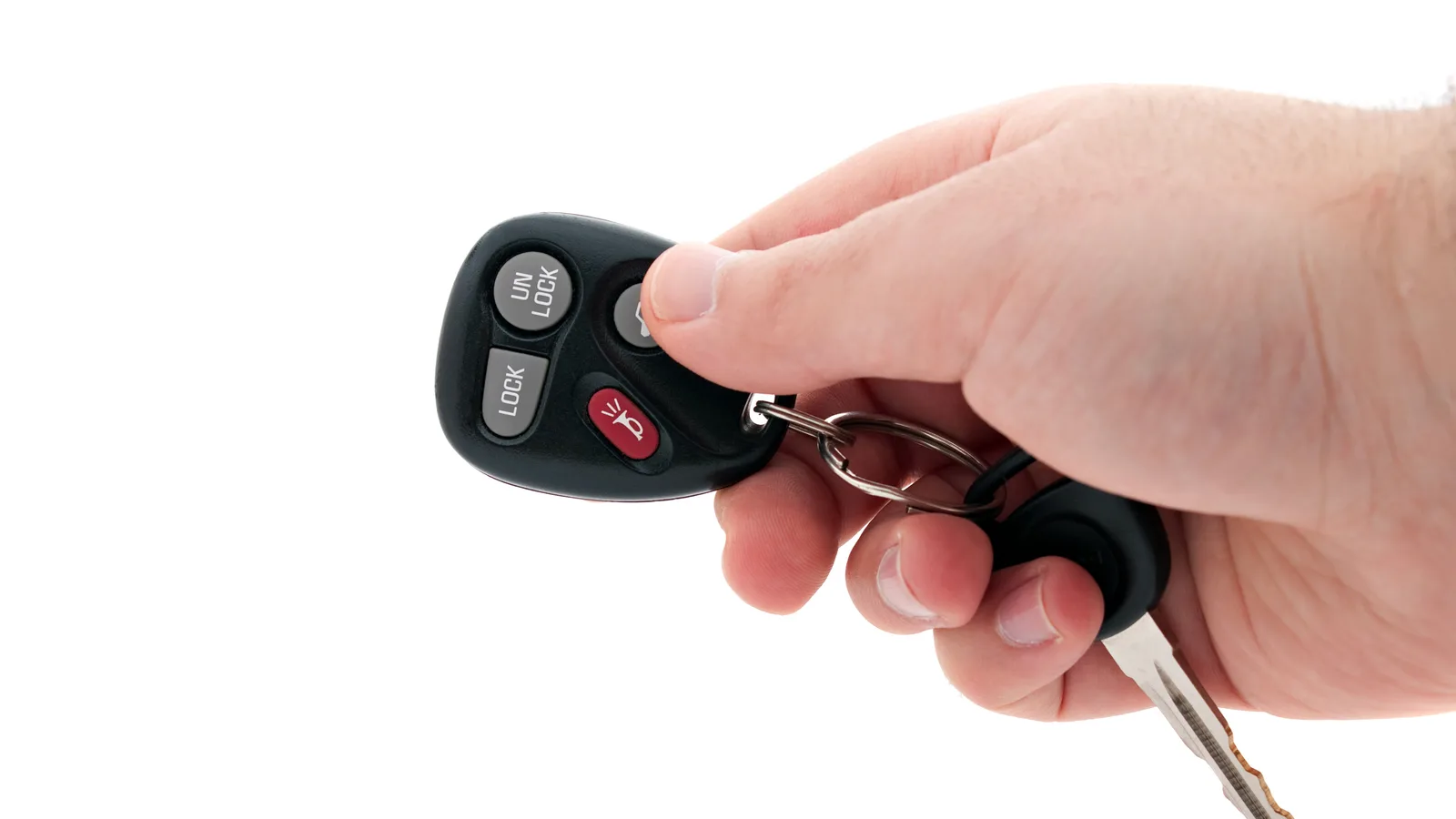
How to Change a Car Key Battery: Restore Your Remote
Learn how to open a car key fob, swap the coin cell battery the right way round and test the remote, with fixes for common mistakes.
The short answer
You can usually change a car key battery yourself. Most fobs are two plastic halves that unclip, or have a small battery door. The old coin cell lifts out and the new one goes in the same way up. The job is mostly about using the right cell, opening the plastic gently and checking the remote before you close it up.
If your key is sealed, card-style or the handbook says the battery is not owner-replaceable, stop there and use a dealer or auto locksmith. Forcing a sealed fob is how people crack casings and damage the circuit board.
What you need before you start
- The correct replacement coin cell. Check the code printed on the old battery or listed in the handbook. Common codes include CR2032, CR2025 and CR1632, but they are not interchangeable.
- A small flat-head screwdriver or a plastic trim tool. Plastic is less likely to mark the casing. If you use metal, work gently and protect the plastic.
- A clean, well-lit table and a shallow dish or cloth for small parts.
- The car handbook, especially if the key has keyless entry or a resync procedure.
- A soft cloth and a torch for looking into the seam.
Step-by-step: changing the battery
Identify the battery and clear a workspace
Read the handbook or the old cell. Note the code, the voltage and which way the plus sign faces. Work on a table, not a carpet, and keep small parts in a dish so they do not disappear.
Release the key blade or battery cover
On a flip key, press the release button and pull the blade out. On many smart fobs a hidden key slides out; it may also be the tool for opening the battery door. Slide or unclip any cover rather than levering the whole fob.
Open the fob along its seam
Find the join line between the two halves. Insert a plastic pry tool or a small flat-head screwdriver into the notch and twist gently. Work around the seam a little at a time. Stop if the plastic starts to crease. Remove any small screws first.
Lift out the old cell
Note which face is up. Use a plastic tool or your fingernail to lift the cell from its edge. Do not lever against the circuit board, the coil or the metal contacts. If the cell is stuck, turn the fob face down and tap it gently into your hand.
Fit the new cell the same way up
Match the plus (+) sign on the new cell to the marking on the holder or the old cell. Slide it under the retaining clips without bending them. It should sit flat. If it rocks or the casing will not close, stop and check the seating.
Close up and test every button
Line up the two halves and press around the edge until the clips click. Refit screws loosely first, then tighten. Test lock, unlock and boot release from a few metres away. Check the car starts and that the immobiliser light behaves as normal. If nothing works, open it again and check the cell orientation before trying a resync.
Opening different types of car key
- Flip key: press the release button, pull the key blade out and look for a seam or a small cover on the back. The battery usually sits under that cover.
- Smart or keyless fob: slide out the hidden emergency key first. Some covers then slide off; others need a plastic tool in a slot. Do not pull the two halves apart by the key slot.
- Remote with screws: small screws may hide under a sticker or a rubber plug. Note which screw came from which hole, because lengths can differ.
- Card-style key: these are often thin and sealed. Some have a battery hatch; many do not. Check the handbook before using any tool.
Getting the battery orientation right
Coin cells are polarised, so the plus (+) face must match the marking on the holder or the old cell. The plus sign is usually on the flat, wider face; the smaller dimpled face is negative. Take a photo of the old cell before you lift it out.
Check that the metal contact arms sit against the correct faces and have not been bent flat. A cell that is the right diameter but too thick can strain the clips; a thinner cell may lose contact when the casing is closed.
Testing the key before you rely on it
- Test from a few metres away, then from the other side of the car. A remote that only works when held against the door is not fixed.
- Press each button once: lock, unlock and boot release if fitted.
- Put the key in the ignition or use the start button and check that the immobiliser light behaves normally.
- Try the spare key if the remote still fails. If the spare works, the problem is in the first fob, not the car.
- For keyless entry, check that the door handles respond with the fob in your pocket or bag, not just when you press a button.
Common problems and fixes
| Symptom | Likely cause | What to do |
|---|---|---|
| Remote does nothing | Cell upside down, wrong code or flat | Compare with the old cell, check the plus sign and fit a fresh correct-code cell. |
| Buttons feel stiff or stuck | Rubber pad moved when the fob was opened | Reopen the fob and reseat the rubber pad; do not force the casing shut. |
| Casing will not clip shut | Cell not flat, seal pinched or screw cross-threaded | Check the cell seating, reseat the gasket and start screws by hand. |
| Range is short or intermittent | Dirty contacts or a weak cell | Clean the contacts with a dry cloth and check the cell code and seating. |
| Car does not recognise the key | Remote needs a resync or the fob has another fault | Follow the handbook resync procedure, try the spare key and seek an auto locksmith if it persists. |
Safety and disposal
- Keep new and old coin cells away from children and pets. A swallowed coin cell is a medical emergency, not a wait-and-see problem.
- Do not recharge, puncture, crush or burn lithium coin cells.
- Store spare cells in their packaging, away from keys, coins and other metal objects that can bridge the terminals.
- Take used cells to a household waste recycling centre or a shop that collects batteries. Tape the terminals with clear tape before storing them loose.
When to stop and get professional help
Stop and use an auto locksmith or dealer if the casing cracks, the circuit board looks wet or corroded, the key is not recognised after a resync, or the car shows an immobiliser fault. If all keys are lost or the fob contains a transponder chip that has come loose, DIY handling can turn a battery job into a replacement key. A locksmith who works with vehicle keys can often open, test and recode a fob without damage.
Car key battery FAQs
Can I change the battery without reprogramming the key?
Usually yes. The coding is not normally erased by a battery change because it is held in the car and the fob. Some models need a simple resync sequence afterwards, which is listed in the handbook.
How do I know when the key fob battery is going flat?
Common signs are shorter remote range, needing several presses, a dashboard low-key-battery warning or the car not recognising the key straight away. Change the cell before it fails completely.
What happens if I fit the battery upside down?
The remote will not transmit. Open the fob, remove the cell and refit it with the plus sign on the same side as the old one. A short wrong-way fit does not usually cause damage, but never force the casing closed.
Can I use a thicker coin cell if it fits the holder?
No. Use the exact code listed for your key. A thicker cell can strain the clips and crack the casing, and a different voltage or chemistry may not work reliably.
Will disconnecting the car battery reset my key fob?
Not usually. The key coding is separate from the main car battery. If the remote stops after electrical work, check the fob cell and the handbook resync steps first.
Related articles

How to Tell If Your
Car Battery Is Dead: A Simple Check
Slow cranking, clicking or dim lights? Work out whether your car battery is flat or failing with simple checks you can do at home.
How to change a tyre
yourself: get back on the road safely
Change a wheel at the roadside safely: where to stop, the right order to work in, how tight the nuts go and the mistakes that catch people out.

How to charge a car
battery: a safe step-by-step guide
Learn to charge a car battery safely at home: check the battery, choose the right charger, connect the leads and avoid common mistakes.